 AI & Automation
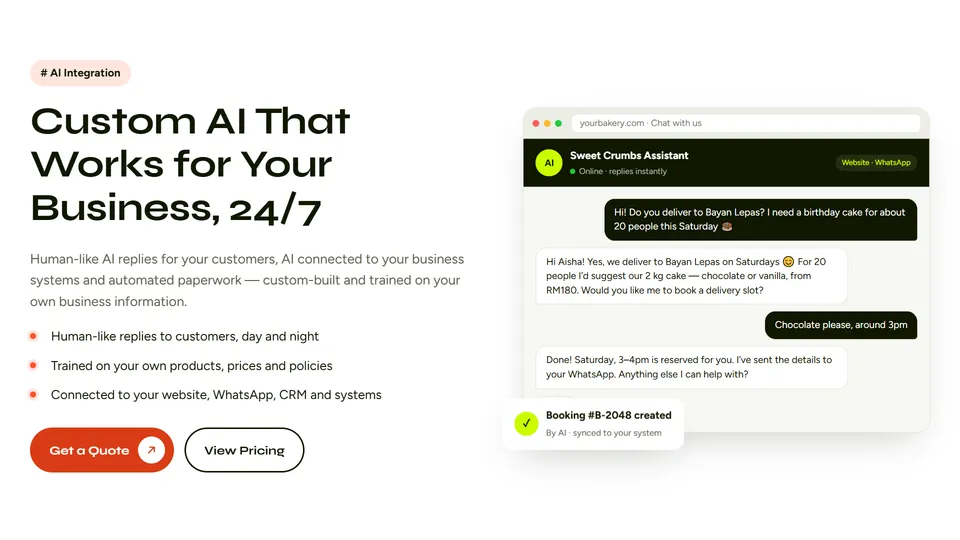
AI integration means building artificial intelligence into the way your business already works — an assistant that replies to customers like a well-trained staff member, AI that updates your systems, and automation that clears repetitive paperwork. This guide explains what AI integration really is, the six ways small and growing businesses use it today, how a human-like AI assistant works behind the scenes, what drives the cost, how to keep customer data safe and how Webbily’s AI Integration service puts it all together.
Key takeaways
- AI integration connects modern AI models to your own business information and tools — it is not a generic chatbot.
- The most common uses are customer replies on your website and WhatsApp, system automation, document processing, lead follow-up and staff knowledge assistants.
- A good AI assistant answers only from approved information and hands over to a real person when it should.
- Cost depends on channels, integrations and conversation volume — expect a setup price plus a monthly running cost.
- Webbily builds custom AI around your business; see the AI Integration service or ask for a free assessment.
What is AI integration for business?
AI integration is the work of connecting a capable AI model — such as the large language models behind ChatGPT, Claude or Gemini — to the information and software a specific business uses, so the AI can do useful work for that business. On its own, a general AI model knows nothing about your prices, your opening hours, your stock or your customers. Integration gives it that knowledge and, where appropriate, the ability to act: check an order, book an appointment, create a quote or log an enquiry.
The difference matters. A generic chatbot widget gives generic answers. An integrated assistant answers your customers with your information, in your brand’s tone, and fits into the tools your team already uses every day.
Six ways businesses use AI integration today
These are the AI projects we see deliver value fastest for small and medium businesses:
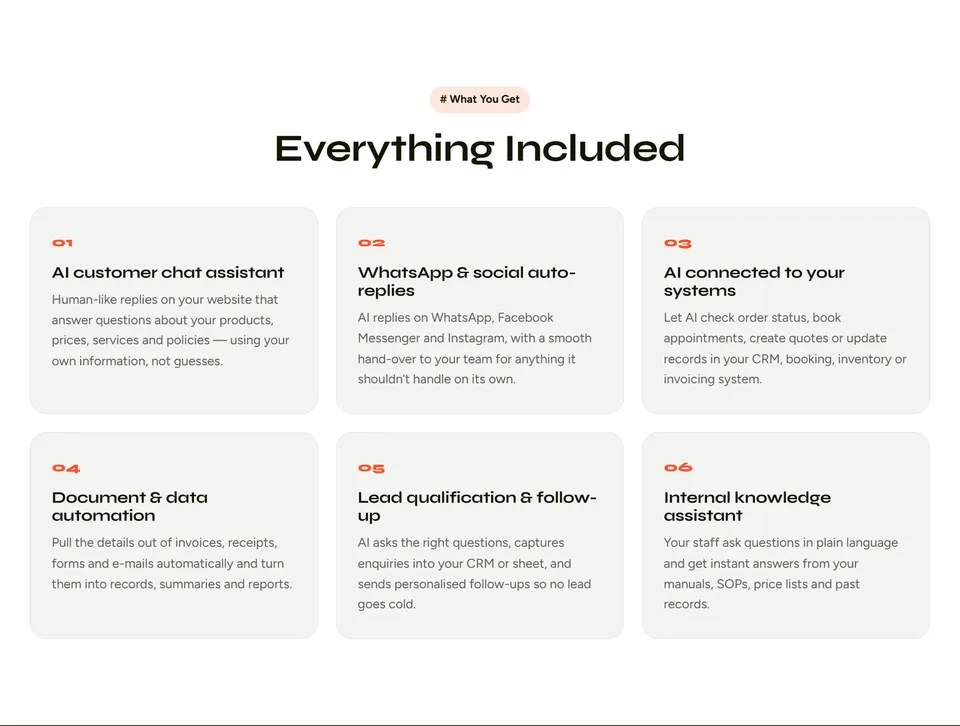
1. A human-like AI customer chat assistant
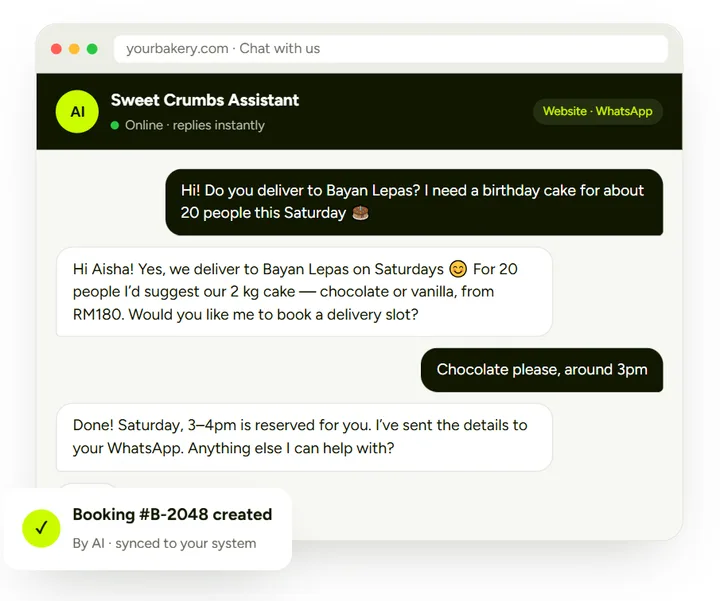
A chat assistant on your website answers the questions customers ask every day — prices, availability, delivery, opening hours, how a service works — instantly and at any hour. Modern AI replies in natural, conversational sentences rather than rigid menus, and can match your tone of voice.
2. WhatsApp and social media auto-replies
In Malaysia and across Southeast Asia, customers expect to message a business on WhatsApp. Through the official WhatsApp Business Platform, the same AI assistant can reply on WhatsApp, and through Meta’s Messenger Platform on Facebook and Instagram — with a clean hand-over to your team for anything it should not handle alone.
3. AI connected to your business systems
When the AI is connected to your CRM, booking calendar, inventory or invoicing software, it can do more than talk: tell a customer where their order is, reserve a slot, create a quotation or update a record. If your current tools can’t connect, a custom business system can be built with AI inside from the start.
4. Document and data automation
AI can read invoices, receipts, delivery orders, forms and e-mails and pull out the details that matter — names, amounts, dates, item lists — then turn them into records, summaries or reports. This removes hours of copy-and-paste each week.
5. Lead qualification and follow-up
Instead of a contact form that sits unanswered, an AI assistant can ask a new enquiry the right questions (what they need, budget, timing, location), record the answers in your CRM or spreadsheet and send a personalised follow-up — so your team spends time on the leads most likely to buy.
6. An internal knowledge assistant for staff
New and existing staff can ask questions in plain language — “what is our refund policy for custom orders?” — and get an instant answer drawn from your manuals, SOPs, price lists and past records, instead of interrupting a manager.
How a human-like AI assistant actually works
You don’t need to be technical to use AI, but understanding the basics helps you ask the right questions of any provider:
- A language model writes the reply. A large language model understands the customer’s message and writes a natural answer in their language.
- Your information grounds the answer. Before replying, the system looks up the relevant parts of your own content — product lists, FAQs, policies — and gives them to the model. This approach is called retrieval-augmented generation (RAG), and it is what keeps answers specific and accurate instead of invented.
- Integrations let it take action. Secure connections (APIs) to your booking, CRM or order system let the AI check and update real data.
- Guardrails keep it safe. Rules define what the AI may discuss, what it must never promise, and when it must hand over to a person.
- People stay in control. Your team can see conversations, take over any chat and correct answers — and those corrections improve the assistant over time.
AI assistant vs. a traditional chatbot
| Traditional rule-based chatbot | Integrated AI assistant | |
|---|---|---|
| How customers talk to it | Buttons and fixed keywords | Natural language, any wording |
| Languages | One language per script | Replies in the customer’s language |
| Knowledge | Only the answers someone typed in | Your products, prices, policies and documents |
| Actions | Usually none | Bookings, order status, quotes, records |
| Unexpected questions | “Sorry, I don’t understand” | Understands intent; hands over when unsure |
| Maintenance | Every new question needs a new rule | Update your information; the assistant uses it |
Is your business ready for AI integration?
AI pays off fastest when a few of these are true:
- You answer the same questions every day on WhatsApp, Messenger, e-mail or the phone.
- Enquiries arrive outside office hours and some customers don’t wait for a reply.
- Your team re-types information from forms, receipts or e-mails into another system.
- Leads go cold because nobody follows up quickly enough.
- Knowledge lives in a few people’s heads and new staff take weeks to get up to speed.
You don’t need perfect data to start. Most projects begin with a clear list of common questions, your price list and your policies — we help organise the rest.
How Webbily delivers an AI integration project
- Discovery and use-case mapping: we review the questions you answer and the work you repeat, and agree exactly what the AI should — and shouldn’t — handle.
- Knowledge and data setup: we gather your products, prices, FAQs and policies, connect the systems involved and set the tone of voice and safety rules.
- Build, connect and test: we build the assistant and integrations, then test them with real customer questions until the answers are accurate and on-brand.
- Launch, monitor and improve: we go live on your chosen channels, review conversations and keep improving answers and adding new tasks month by month.
We use the same approach in our own products: FiveBatch, our AI marketing platform, and the AI features in Invoiceror, including its EVO-AI assistant and AI receipt scanning. For AI-powered social media content specifically, see our social media marketing service.
What does AI integration cost?
There is no honest one-size price, because two businesses rarely need the same thing. These are the factors that decide the cost:
| Cost factor | Why it matters |
|---|---|
| Channels | Website chat only, or also WhatsApp, Messenger and Instagram |
| Integrations | Answering questions only, or also reading and updating your CRM, booking or order system |
| Knowledge size | A one-page FAQ, or hundreds of products and documents |
| Conversation volume | AI usage is billed per message processed, so more conversations cost more to run |
| Languages and tone | Multiple languages and a carefully tuned brand voice take more testing |
| Ongoing improvement | Monthly review of conversations, new answers and new tasks |
Webbily quotes AI projects as a fixed setup price plus a clear monthly running cost covering hosting, AI usage and improvements — see the pricing section on the AI Integration page. For context on what other digital projects cost, read our website and app development cost guide.
Keeping customer data safe
Trust is the foundation of any customer-facing AI. A responsible AI integration should:
- Use business-grade AI services whose terms state that your data is not used to train public models, such as OpenAI’s business offerings and Google’s Gemini API.
- Give the AI only the access it needs for each task, and nothing more.
- Follow data protection law — in Malaysia, the Personal Data Protection Act (PDPA) — including telling customers how their information is used.
- Be clear that customers are chatting with an AI and offer an easy way to reach a person.
- Be managed as a risk, with testing and monitoring in line with frameworks such as the NIST AI Risk Management Framework.
Common AI integration mistakes to avoid
- Letting the AI guess: without grounding in your own information, AI can produce confident but wrong answers. Restrict it to approved content.
- No human hand-over: customers become frustrated when they can’t reach a person. Always provide an exit.
- Trying to automate everything at once: start with the questions and tasks that repeat most, prove the value, then expand.
- Ignoring the tone of voice: an assistant that sounds nothing like your brand feels wrong. Tune it and review real conversations.
- Setting and forgetting: prices, stock and policies change. The assistant needs regular updates to stay accurate.
- Unofficial WhatsApp tools: unofficial automation can get your number restricted. Use the official WhatsApp Business Platform.
Frequently asked questions
What is AI integration in simple terms?
It means connecting a modern AI model to your business information and tools so it can answer customers, process documents or update your systems for you — instead of being a generic chatbot that knows nothing about your business.
Will customers know they are talking to AI?
They should. We recommend clearly labelling the assistant and offering an easy way to reach a person. Customers generally don’t mind AI when it answers quickly and accurately and a human is available when needed.
Can an AI assistant reply in Malay and Chinese?
Yes. Modern AI models understand and reply in many languages, including English, Malay and Chinese, and can answer in the language the customer writes in.
Can AI work with WhatsApp?
Yes, through the official WhatsApp Business Platform, which requires a verified Meta business account. The same assistant can also reply on your website, Facebook Messenger and Instagram.
How long does an AI integration project take?
A focused customer-chat assistant can often go live within a few weeks. Projects with several channels or system integrations take longer, depending on the systems involved and how much testing is needed.
Do I still need staff if I use AI?
Yes. AI handles the repetitive questions and tasks so your team can focus on sales, complex requests and customer relationships. The best results come from AI and people working together.
Get a free AI integration assessment
Tell us which questions you answer every day and which tasks you would like to automate. We will recommend where AI can help most and reply with a fixed quote — setup plus monthly running cost. Explore the AI Integration service, start your project brief or contact the Webbily team. Curious how your current website performs first? Try our free website audit.